15 Best AI Tools You Should Try
Artificial Intelligence (AI) is changing the way people work, study, communicate and create digital content. From writing articles and generating images to editing videos and developing software, AI tools are making everyday tasks easier and faster.
Today, hundreds of AI-powered websites are available online. Some tools help students with their studies, while others assist business owners, developers, marketers and content creators.
But which AI tools are actually useful?
In this article, we explore the 15 best AI tools that can help you save time, improve productivity and simplify your daily tasks.
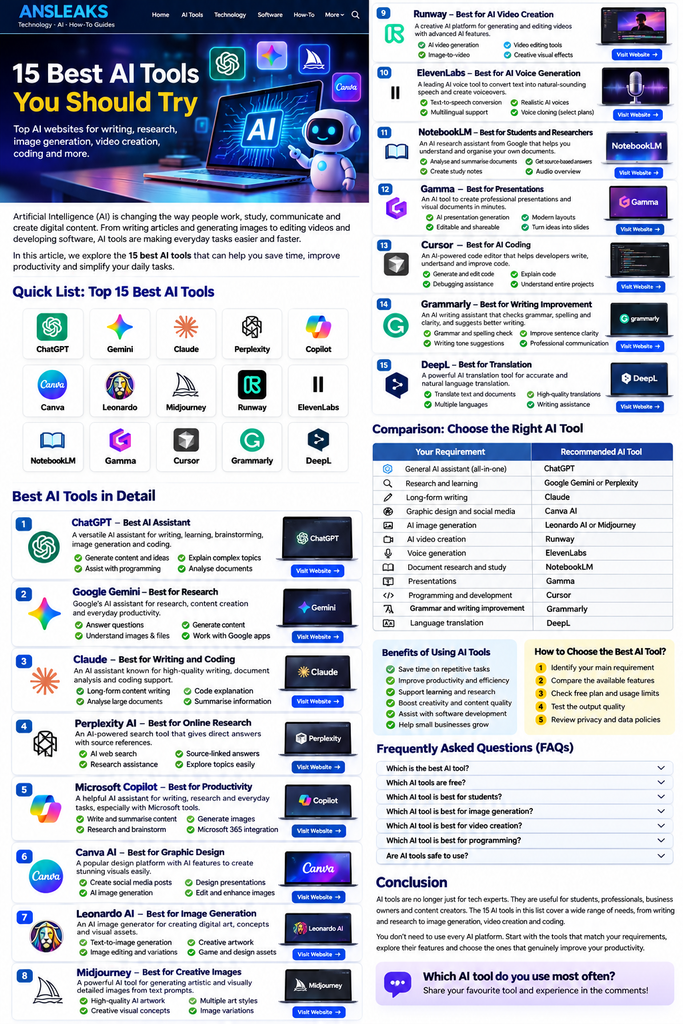
Quick List: Top 15 Best AI Tools
| No. | AI Tool | Best For |
|---|---|---|
| 1 | ChatGPT | AI Assistant |
| 2 | Google Gemini | Research and Productivity |
| 3 | Claude | Writing and Coding |
| 4 | Perplexity AI | Online Research |
| 5 | Microsoft Copilot | Productivity |
| 6 | Canva AI | Graphic Design |
| 7 | Leonardo AI | Image Generation |
| 8 | Midjourney | Creative Images |
| 9 | Runway | AI Video Creation |
| 10 | ElevenLabs | AI Voice Generation |
| 11 | NotebookLM | Document Research |
| 12 | Gamma | Presentations |
| 13 | Cursor | AI Coding |
| 14 | Grammarly | Writing Improvement |
| 15 | DeepL | Translation |
1. ChatGPT – Best AI Assistant
ChatGPT is an AI assistant developed by OpenAI. It can help users write articles, answer questions, generate ideas, analyse information and assist with programming.
Key Features
- Generate articles, emails and social media content.
- Explain complex topics in simple language.
- Assist with programming and debugging.
- Analyse supported documents and files.
- Generate and edit images.
- Help with brainstorming and research.
Who Should Use ChatGPT?
Students, teachers, developers, business owners, professionals and content creators.
Official Website: https://chatgpt.com/
2. Google Gemini – Best AI Tool for Research
Google Gemini is an AI assistant developed by Google. It helps users understand information, generate content, explore ideas and complete everyday tasks.
Key Features
- Answer questions and explain topics.
- Generate written content.
- Understand supported images and documents.
- Assist with research and learning.
- Support creative brainstorming.
- Work with compatible Google services.
Who Should Use Google Gemini?
Students, researchers, professionals and people who use Google services regularly.
Official Website: https://gemini.google.com/
3. Claude – Best AI Tool for Writing and Coding
Claude is an AI assistant developed by Anthropic. It is useful for writing, analysing documents, understanding programming code and working through complex tasks.
Key Features
- Long-form content writing.
- Document analysis.
- Programming assistance.
- Code explanation.
- Summarising complex information.
- Brainstorming and problem-solving.
Who Should Use Claude?
Writers, software developers, researchers and professionals who work with large documents.
Official Website: https://claude.ai/
4. Perplexity AI – Best AI Research Tool
Perplexity AI is an AI-powered search and research platform. It provides conversational answers supported by source references that help users explore information online.
Key Features
- AI-powered web search.
- Source-linked answers.
- Research assistance.
- Topic exploration.
- Information summarisation.
- Follow-up questions.
Who Should Use Perplexity AI?
Students, journalists, researchers, bloggers and professionals.
Official Website: https://www.perplexity.ai/
5. Microsoft Copilot – Best AI Tool for Productivity
Microsoft Copilot is an AI assistant that helps users with writing, research, brainstorming and everyday productivity tasks.
Key Features
- AI writing assistance.
- Content summarisation.
- Image generation capabilities.
- Research and question answering.
- Productivity assistance.
- Microsoft ecosystem integration.
Who Should Use Microsoft Copilot?
Office professionals, students, business owners and Microsoft 365 users.
Official Website: https://copilot.microsoft.com/
6. Canva AI – Best AI Tool for Graphic Design
Canva is a popular online design platform with AI-powered features that make graphic design easier.
Users can create posters, presentations, social media posts, advertisements and other visual materials without advanced design knowledge.
Key Features
- AI-assisted graphic design.
- Presentation creation.
- Social media post design.
- Image generation.
- Background editing.
- Marketing material creation.
Who Should Use Canva AI?
Social media managers, students, digital marketers, entrepreneurs and content creators.
Official Website: https://www.canva.com/
7. Leonardo AI – Best AI Image Generator
Leonardo AI is an AI-powered image-generation platform that helps users create digital artwork and visual concepts from text descriptions.
Key Features
- Text-to-image generation.
- AI-assisted image editing.
- Creative artwork generation.
- Visual concept development.
- Image variations.
- Digital asset creation.
Who Should Use Leonardo AI?
Graphic designers, artists, game developers, marketers and content creators.
Official Website: https://leonardo.ai/
8. Midjourney – Best AI Tool for Creative Images
Midjourney is an AI image-generation platform known for producing detailed and artistic visuals from text prompts.
Key Features
- AI artwork generation.
- Creative image generation.
- Artistic visual styles.
- Image variations.
- Visual concept exploration.
Who Should Use Midjourney?
Digital artists, designers, advertising professionals and creative content creators.
Official Website: https://www.midjourney.com/
9. Runway – Best AI Video Generation Tool
Runway is an AI-powered creative platform designed for video generation and editing.
It helps users experiment with AI-generated video content and visual effects.
Key Features
- AI video generation.
- Image-to-video workflows.
- Video editing assistance.
- Creative visual effects.
- AI-powered media creation.
Who Should Use Runway?
Filmmakers, video editors, advertising agencies and social media creators.
Official Website: https://runwayml.com/
10. ElevenLabs – Best AI Voice Generator
ElevenLabs is an AI audio platform that provides text-to-speech and other voice-generation capabilities.
Users can convert written content into speech and create voiceovers for videos, presentations and audio projects.
Key Features
- Text-to-speech conversion.
- AI voice generation.
- Voice design.
- Audio production.
- Multilingual speech capabilities.
- Voiceover creation.
Who Should Use ElevenLabs?
YouTubers, podcasters, video creators, educators and digital marketers.
Official Website: https://elevenlabs.io/
11. NotebookLM – Best AI Tool for Students and Researchers
NotebookLM is an AI-powered research and study assistant from Google.
It helps users understand information from their own uploaded sources and organise research material.
Key Features
- Document analysis.
- Source-based answers.
- Study assistance.
- Research organisation.
- Information summarisation.
- Audio overview features.
Who Should Use NotebookLM?
Students, teachers, researchers and professionals who regularly work with documents.
Official Website: https://notebooklm.google.com/
12. Gamma – Best AI Presentation Maker
Gamma is an AI-powered platform that helps users create presentations, documents and visual content.
Users can start with a topic or written content and use AI-assisted tools to organise a presentation.
Key Features
- AI presentation creation.
- Document generation.
- Visual layouts.
- Presentation editing.
- Content organisation.
- Sharing and publishing options.
Who Should Use Gamma?
Students, teachers, entrepreneurs, business professionals and marketing teams.
Official Website: https://gamma.app/
13. Cursor – Best AI Coding Tool
Cursor is an AI-powered code editor designed to improve software development workflows.
It helps developers understand existing code, generate new code and make changes across programming projects.
Key Features
- AI code generation.
- Code explanation.
- Debugging assistance.
- Codebase understanding.
- Programming suggestions.
- AI-assisted development workflows.
Who Should Use Cursor?
Software developers, programmers, engineering students and startup teams.
Official Website: https://cursor.com/
14. Grammarly – Best AI Writing Assistant
Grammarly is a writing assistance platform that helps users improve grammar, spelling, clarity and communication.
Key Features
- Grammar checking.
- Spelling correction.
- Sentence improvement.
- Writing clarity suggestions.
- Tone assistance.
- AI-assisted writing features.
Who Should Use Grammarly?
Students, bloggers, professionals, writers and business owners.
Official Website: https://www.grammarly.com/
15. DeepL – Best AI Translation Tool
DeepL is a translation platform that helps users translate text and supported documents between different languages.
Key Features
- Text translation.
- Document translation.
- Multilingual communication.
- Writing assistance.
- Translation support for multiple languages.
Who Should Use DeepL?
Students, translators, international businesses, researchers and content creators.
Official Website: https://www.deepl.com/
Comparison of the Best AI Tools
| Requirement | Recommended AI Tool |
|---|---|
| General AI assistance | ChatGPT |
| Research and learning | Google Gemini |
| Long-form writing | Claude |
| Web research | Perplexity AI |
| Office productivity | Microsoft Copilot |
| Graphic design | Canva AI |
| AI image generation | Leonardo AI |
| Artistic images | Midjourney |
| AI video generation | Runway |
| Voice generation | ElevenLabs |
| Document research | NotebookLM |
| Presentation creation | Gamma |
| Programming | Cursor |
| Grammar correction | Grammarly |
| Translation | DeepL |
Are AI Tools Free to Use?
Many AI platforms offer free access, but the features and usage limits vary.
Some platforms provide free plans with limited daily usage, while others require a paid subscription to access advanced features.
Before choosing an AI platform, consider:
- Free usage limits.
- Available features.
- Subscription costs.
- Commercial usage permissions.
- Data privacy policies.
- Export and download options.
Always check the official website for the latest pricing and access information.
Benefits of Using AI Tools
1. Save Time
AI can help automate repetitive tasks such as writing drafts, summarising information and organising content.
2. Improve Productivity
Users can complete certain tasks faster with AI-assisted workflows.
3. Support Learning
Students can use AI tools to understand difficult concepts, generate study notes and explore educational topics.
4. Improve Creativity
AI image, video and writing tools can help users explore new creative ideas.
5. Assist Software Development
Developers can use AI coding tools to understand code, identify errors and speed up development.
6. Support Small Businesses
Small businesses can use AI for marketing content, presentations, research and customer communication.
How to Choose the Best AI Tool?
- Identify your main requirement.
- Compare the features of different platforms.
- Check whether a free plan is available.
- Test the output quality.
- Review privacy and security policies.
- Select a tool that fits your workflow and budget.
It is also a good idea to compare the results from more than one AI platform before using important information.
Frequently Asked Questions (FAQs)
1. Which is the best AI tool?
ChatGPT is a strong all-purpose AI assistant for writing, learning, research and productivity. However, the best AI tool depends on your specific requirements.
2. Which AI tools are free?
Several AI platforms offer free access or free usage plans, including ChatGPT, Google Gemini, Perplexity, Canva and NotebookLM. Usage restrictions may apply.
3. Which AI tool is best for students?
ChatGPT, Google Gemini and NotebookLM are useful for students who need help understanding concepts, organising study materials and researching topics.
4. Which AI tool is best for image generation?
Leonardo AI and Midjourney are popular options for generating creative images and digital artwork.
5. Which AI tool is best for video creation?
Runway is a popular option for AI-assisted video generation and editing.
6. Which AI tool is best for programming?
Cursor is an AI-powered code editor that can help developers generate code, understand projects and improve programming workflows.
7. Can AI tools replace human workers?
AI can automate certain repetitive tasks, but human creativity, decision-making, communication and professional expertise remain important. AI is best viewed as a tool that supports human work.
8. Are AI tools safe to use?
Many established AI platforms provide privacy and security information. However, users should avoid sharing passwords, confidential business information or sensitive personal data without understanding the platform’s data policies.
Conclusion
Artificial Intelligence is becoming an important part of modern technology. From writing and research to image generation, video editing and software development, AI tools provide useful capabilities for different types of users.
The 15 AI tools discussed in this article offer different features for students, professionals, developers, business owners and content creators.
You do not need to use every AI platform. Start with the tools that match your requirements, explore their capabilities and choose the ones that genuinely improve your productivity.
Which AI tool do you use most often? Share your favourite AI tool and your experience in the comments!
Stay connected with ANSLEAKS for more technology guides, AI updates, software tutorials and useful digital tools.
Are you a student looking for free AI tools? Check out our detailed guide on 10 Best Free AI Tools for Students in 2026 to discover useful AI platforms for studying, research, assignments, and presentations.